ChroMenu, a “Vibe Coding” experiment born of frustration.
Update 20/12/2025:
ChroMenu is now available on the Chrome Webstore so no need for Developer Mode for anyone interested.
This whole ChroMenu Vibe Coding experiment came about while using Brave, a Chrome-based web browser, capable of blocking ads and doing away with those pesky cookie notices.
My problem with Chrome-base is the lack of a traditional menu in favour of sidebars. I don’t want a section of my browser real estate being overtaken just on Bookmarks. For the same reason I don’t want a persistent Bookmarks Bar either. All I need is quick access to my History and Bookmarks with the mouse and it can go away until next time.

Proper Menubar for Google Chrome seemed like a suitable replacement, and I imagine it is for many, but I just wanted the basics; so I set about making my own. I had Notepad++ open with a chunk of Javascript hammered out when I had an idea. This could be the perfect opportunity to take advantage of the bombardment of AI inclusion I recently posted about.
A basic menu would be an ideal experiment in what the kids call “Vibe Coding”. First some ground rules for myself.
- Choose an AI model and stick to it. I went with ChatGPT from OpenAI.
- AI is to carry out ALL coding/scripting.
- Displayed text elements can be manually edited but code comments must be done by the AI.
I irritate myself with this. I tend to run code straight out of my brain into Notepad++, think of something extra, and head off on a tangent. - Any additional feature ideas that pop into my head during MUST be included later as a minor build point. No “on the fly” stuff.
- Any additional feature ideas proposed by the AI will not be added unless they were going to be included anyway.
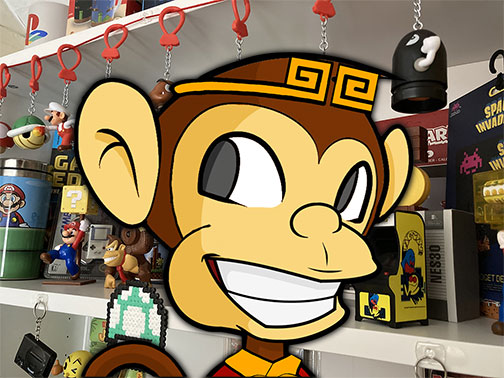
Old MacMunky wants Bookmarks. A I A I Oh?
First on the list is to rid myself of the Javascript I’ve already created (no cheating) before thinking of a suitable prompt for ChatGPT.
“Make a menu bar extension for Chrome web browser that includes menus for File, Edit, View, History, Bookmarks, and Help.”
Sure enough ChatGPT threw back to me a zip file containing the main Javascript, the CSS, background.js and, to my surprise a manifest.js. After extracting the files I fired up Brave and made my way to Extensions. I needed to put Extensions into Developer Mode in order to add the menu because this is a local endeavour . I was already aware of this but ChatGPT gave me instructions along with the zip file anyway.
Next I needed ChatGPT to start populating those menus with the relevant contents. This is where things started to take a bit of a shit. My priority was History and Bookmarks so I asked ChatGPT to connect those menus to their respective features in Brave. ChatGPT asked if I would like favicons included so I opted for that. Up pops a new menu Javascript that ChatGPT told me to paste over the existing Javascript.
Trust the process
I can already see a problem with the code before I copy it but rule 2 means I have to ignore it and go with the process. 
ChatGPT gives me instructions to reload the extension into Brave and once I refresh the page I have exactly what I asked for, History and Bookmarks occupied with the correct data. Brilliant, except now I no longer had Edit or View menus. This to-ing and fro-ing went on for a while, each time I resisted the urge to jump in there and correct the code myself. ChatGPT would screw up a piece of code a few times then blame me for incorrect code, missing code, undeclared variables, etc. while all I did was copy/paste what it told me to.
Something like this would normally take me a chunk of weekend or an hour or so a day spread throughout the week. ChatGPT estimates total time taken is “~24–31 hours of actual hands-on development time”. While ChatGPT may think that is “remarkably quick” for this project, I have to be blunt and say that I don’t.
I can see how it might be useful for large projects, or for non-coders/scripters but for old pros and small projects it is far from efficient.
Menu, sir?
Anyone interested in using ChroMenu can download it below.
 Vibe (You’ve got that), vibe (Yeah, he’s got that vibe)
ChroMenu is rendered directly into the webpage rather than being an actual toolbar using Chrome API. There’s a pin option on the right of the bar but be aware when pinned there are issues on pages such as Facebook and Youtube where the menu pops over the top of the site instead of nudging the content.